
How to allow users to request negative leave
Sometimes people need time off before they’ve earned it. With negative leave balances, you can let team members request leave beyond their current balance, borrowing against days they’ll earn later. instead of Flamingo rejecting the request.
This is especially useful with accrual policies. For example, if vacation accrues at 1 day per month and someone wants to take 3 days off in February, they’ve only accrued 2 days, normally the request would be declined. With negative balances enabled, the request goes through and their balance simply shows −1 until they’ve accrued it back.
The feature is off by default and is enabled per leave type.
How to enable it
1 - Head over to Settings - Teams
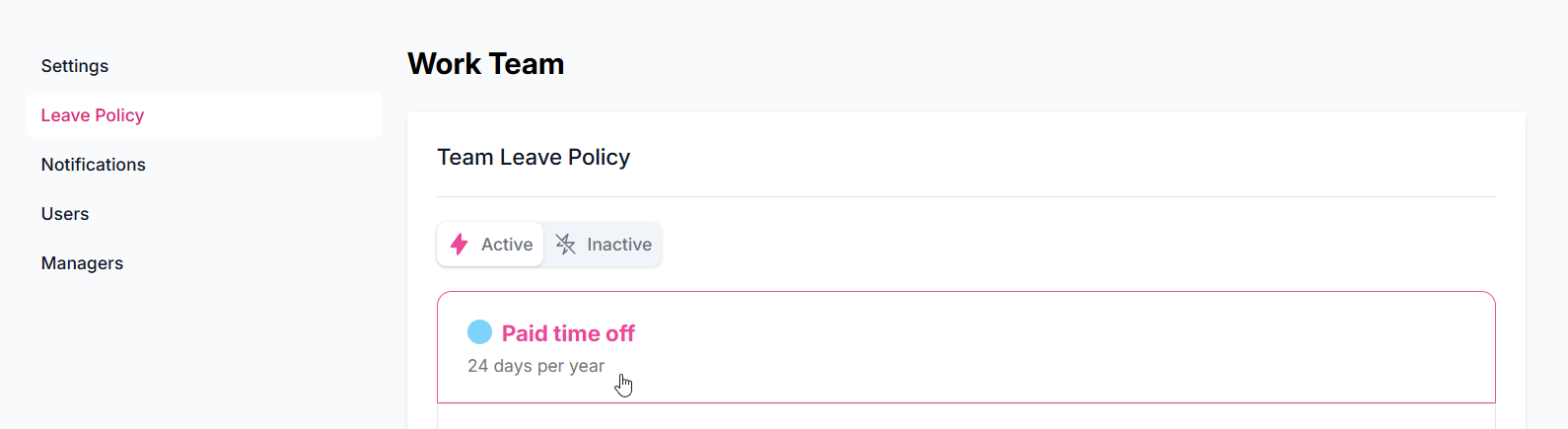
2 -Go to your team’s leave policy settings and open the leave type you want to change (e.g. Paid Time Off).
2 - Turn on Allow negative leave balance.
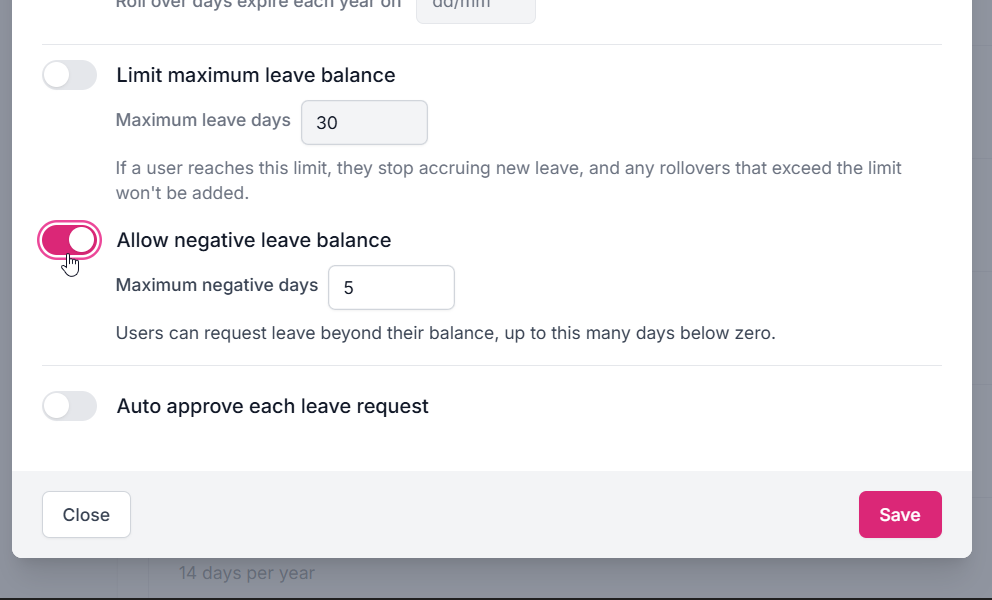
3 - Set Maximum negative days, how far below zero a balance may go (default: 5). A user’s requests are approved down to this floor; anything beyond it is still rejected.
4 - Save.
Notes:
- The setting doesn’t apply to unlimited leave types (there’s no balance to go below).
- You can override the team setting for an individual user in their User Profile, just like other policy overrides, for example, allow borrowing only for specific people, or give someone a different floor.
What changes for your team
- Requests: a leave request that would take the balance below zero is approved as long as it stays within the maximum negative days, whether it’s submitted in Slack, or the web dashboard. Requests that would go past the floor are rejected with an error, same as before.
- Balances: balances can now display as negative (e.g. −2) in the user profile, reports, exports, and Slack views, so everyone can see exactly how much has been borrowed.
- Adjustments: admins can set a user’s balance to a negative value (within the floor) using the adjust feature.
What happens at the end of the year
A negative balance is treated as borrowed time, not free time: it carries over into the new year and is deducted from the new year’s allowance. For example, a user who ends the year at −2 with a 20-day allowance starts the new year with 18 days available. Rollover of unused (positive) days for other users works exactly as before.
If you turn the feature off while users still have negative balances: current behavior clears remaining negative balances.
FAQ
Does this change anything if I leave the toggle off?
No. Everything behaves exactly as before: requests that would take a balance below zero are rejected.
Can users see how far negative they’re allowed to go?
No, for this reason it is advised to let the user know in advanced what their negative limit is. Their request is checked against the floor when they submit; requests beyond it show the usual “not enough days” error.
Does borrowing interact with rollover limits?
Rollover limits apply to unused positive days only. Borrowed (negative) days are always carried in full so they can’t be lost or gained at the year change.
Who can enable this?
The same owner/admin/manager roles that can edit leave policies today.